Occlusion Masks
This page describes how to generate occlusion masks, the mask artifact format, the transform convention, and how masks are applied during evaluation.
Generating masks
When computing metrics, if a predicted point is in a region that is not observed in the ground-truth data, it may be unfair to count it as an error. To address this, we can use occlusion masks to identify which regions of the scene are visible (i.e., observed) and which are occluded (i.e., unobserved). During evaluation, we can then ignore predicted points that fall into occluded regions.
e3r mask gen builds a volumetric occlusion mask from selected views. It
supports three input modes:
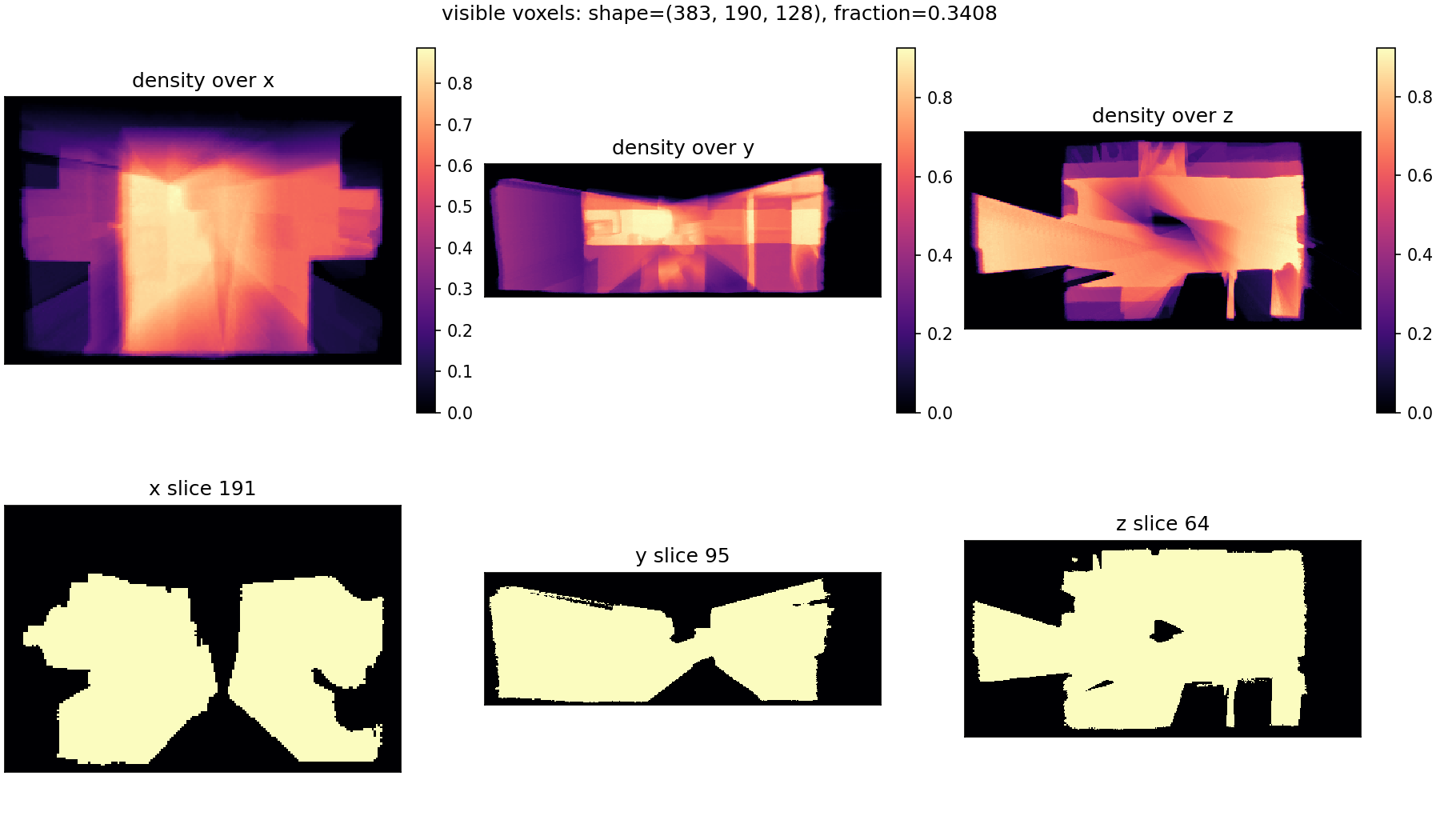
--preset NAME --root PATH --scene ID: use a registered dataset adapter.--depth-path DIR --poses-path PATH --intrinsics-path K.txt: use sensor depth maps.--mesh-path mesh.ply --poses-path PATH --intrinsics-path K.txt: render depth from a mesh, then generate the mask from the rendered depth.
Example using depth images:
e3r mask gen \
  --depth-path /data/scene/depth \
  --depth-pattern "{frame:06d}.png" \
  --poses-path /data/scene/poses \
  --poses-pattern "{frame:06d}.txt" \
  --intrinsics-path /data/scene/intrinsic_depth.txt \
  --depth-scale 1000 \
  --pose-convention T_cw \
  --camera-frame opencv \
  --max-depth 3.5 \
  --voxel-size 0.02 \
  --out-dir /data/masks/scene0001_00
The command writes:
occlusion_mask.npyT_mask_scene.txt
Generation behavior
Mask generation has two stages:
- BBox construction: selected valid depth pixels are back-projected into
scene/world coordinates. Their bounds, plus
--margin, define the mask volume. Pixels that are non-finite, non-positive, or farther than--max-depthare ignored. - Voxel carving: voxel centers are projected into each selected camera.
A voxel is marked visible if it lands inside the camera frustum and its
camera-frame depth is no farther than
depth_at_pixel + truncation.
Because the bbox is depth-derived, the generated volume is tight around observed geometry. Empty space between the camera and the observed surface may fall outside the mask volume unless it is within the padded depth-sample bounds. During evaluation, out-of-bounds points are treated as occluded.
If no selected depth pixels survive filtering, generation fails with a
depth-derived bbox error. Increase --max-depth, check --depth-scale, or
select frames with valid depth.
Useful generation options:
| Flag | Purpose |
|---|---|
--max-depth |
Discard farther depth pixels and bound carving/projection. |
--voxel-size |
Output grid resolution in metres. Smaller is tighter but larger. |
--margin |
Padding added around the depth-derived bbox. |
--truncation |
Visible band behind surfaces. Defaults to 4 * voxel_size. |
--frame-stride |
Process every Nth frame. |
--frames / --frames-file |
Explicitly select frames. |
--dilation |
Dilate visible voxels after carving. |
Inspect a generated mask with:
e3r mask inspect \
  --mask /data/masks/scene0001_00/occlusion_mask.npy \
  --t-mask-scene /data/masks/scene0001_00/T_mask_scene.txt
Mask artifact format
For each scene, provide a directory with:
occlusion_mask.npy: a 3D array(D_x, D_y, D_z)where0means visible1means occludedT_mask_scene.txt: a whitespace-delimited4x4matrix.
Transform convention
T_mask_scene maps homogeneous scene/world coordinates to continuous mask voxel coordinates:
- input:
[x, y, z, 1]^T - output:
[i, j, k, 1]^T
So:
[i, j, k, 1]^T = T_mask_scene @ [x, y, z, 1]^T
[i, j, k] are continuous voxel coordinates used with trilinear interpolation.
Integer values index voxel centers.
Sampling and visibility rule
During filtering:
- Points are transformed to voxel space with
T_mask_scene. - Mask values are sampled trilinearly from
occlusion_mask.npy. - Out-of-bounds samples are treated as occluded (
1.0). - A point is kept iff sampled mask value
< 0.5.
If all points are marked occluded, eval3r raises an error. This usually means the mask transform, coordinate frame, or unit scale does not match the evaluated geometry.
Applying masks
Metric CLI
Use explicit per-scene mask paths with:
--mask--t-mask-scene
Example:
e3r metric geometry outputs/scannet/scene0001_00 \
  --gt /data/scannet/scene0001_00/gt_mesh.ply \
  --mask /data/scannet_masks/scene0001_00/occlusion_mask.npy \
  --t-mask-scene /data/scannet_masks/scene0001_00/T_mask_scene.txt
Benchmark CLI
Use a mask root plus path patterns relative to that root:
--mask-dir--mask-pattern(default:{scene_id}/occlusion_mask.npy)--t-mask-scene-pattern(default:{scene_id}/T_mask_scene.txt)
Benchmark masks are always applied to predicted points only.
e3r benchmark scannet \
  --pred-root outputs/scannet \
  --gt-root /data/scannet \
  --mask-dir /data/scannet_masks
Flat layouts are supported by including {scene_id} in the filename:
e3r benchmark scannet \
  --pred-root outputs/scannet \
  --gt-root /data/scannet \
  --mask-dir /data/scannet_masks \
  --mask-pattern "{scene_id}_mask.npy" \
  --t-mask-scene-pattern "{scene_id}_T_mask_scene.txt"
Mask semantics
Geometry masks apply only to predicted points after alignment. Ground-truth points remain unfiltered.